Main Window

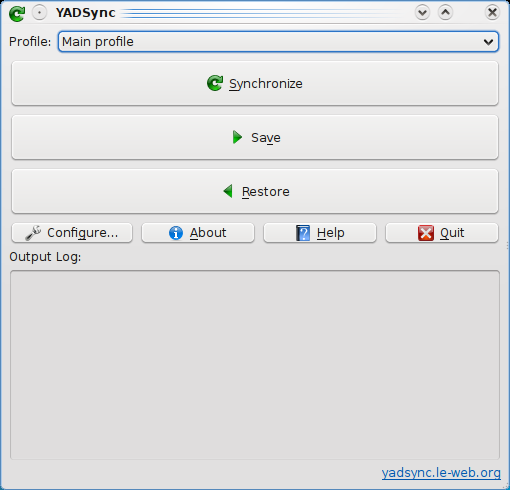
Starting from version 1.0 YADSync support multiple profiles. Profile combo-box allow you to select the current profile. Profiles are orderer alphabetically. There is always a profile called ‘Main profile’.
Main window has 3 big buttons:
- Synchronize: sync the directories but don’t delete anything
- Save: update destination directories (it can remove files.directories depending on options)
- Restore: update source directories (it can remove files.directories depending on options)
Save/Restore just update directories. This means that newer file are kept.
Other Main Window buttons are:
- Preferences
- About
- Help (not implemented yet)
- Quit
‘Output Log’ window display steps, commands and their output during synchronize/save/restore process. If there are some warnings/errors please check this log for more informations.